A phone at the table is all it takes.
Zius captures the bill where it happens and keeps the balances straight long after everyone has gone home.
The camera does the typing
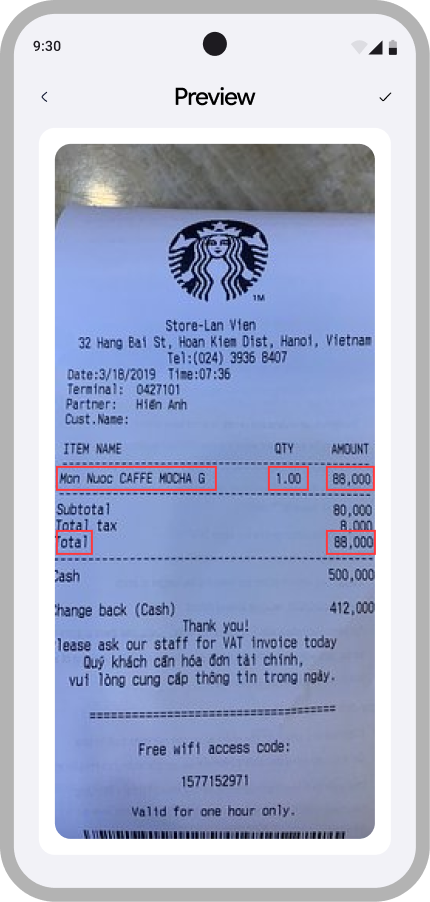
Scan the receipt
Point the camera at the bill or pick a photo. Zius reads the text on-device and you tap the total to drop it straight into an expense.
Recognized on your phone, not a server
Receipt text recognition runs locally. The picture of your dinner never leaves your device.
Built for one thumb
Native sheets, gesture navigation, and big touch targets. Splitting takes a few taps while you are still standing at the counter.
Math that always adds back up
Same expenses, same groups, same centavo-exact totals, every time.
Four ways to split
Equal, by percentage, fixed amounts, or per item when only two people got the wine.
Centavo-exact math
Remainders are distributed, never rounded away. Every split adds back up to the total.
Groups that last
Keep a house, a barkada, or a trip together with running balances for each circle.
Guests, no account needed
Add someone who has not signed up yet. They still get counted in every balance.
Cancel without losing history
A cancelled expense stays on the record as history instead of vanishing from the math.
Your history stays put
Every expense you have been part of stays searchable, months after the dinner.
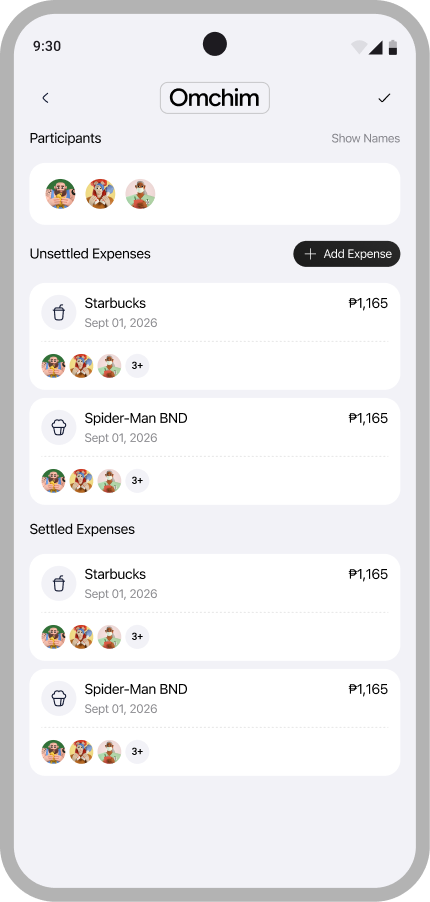
Every group keeps its own two piles
Settled and unsettled, side by side. Filter a month of dinners, see who still owes whom, and cancel what should not have been there without losing the record.
Start where the receipts are
Zius is in early access on Android. Send me a message and I will get you a build.